


Twitter is a fantastic platform for businesses to stay on top of the latest trends and connect with their audience.
Twitter is a little different from other social media platforms in that it is more “live” and is a good way to source information on the latest news and trends. Twitter might not be for everyone, but its likely your competition is on here so therefore definitely worth exploring to see if it is right for your business.
I’m writing this blog right after Elon Musk bought the platform, so the advice I’m about to give you might change soon, who knows!
FACT: Did you know that 60% of a brands followers on this platform are more likely to buy from the company?
 1. Build your profile
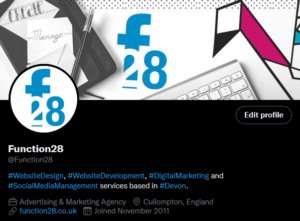
Make your profile stand out with great use of colours, logos, and a brilliant Bio.
If you leave your profile picture blank, it’ll just show an egg and will put a lot of people off from visiting your profile. Use your logo or an image that will be instantly recognisable to your customers.
Don’t forget to upload a banner too. This is where a lot of companies get creative and gives their customers more insight into their company.
Twitter will only allow 160 characters in your Bio so it’s a good idea to keep things brief and to the point. Using Hashtags in this area will help new followers and customers find you a lot more easily. If you have a website, put this on there too.
Your Twitter handle will need to be similar to your company name (i.e. @Function28) to make it easy for people to tag you. If your chosen handle is already taken, you’ll notice that some companies will put “HQ” at the end of their handle.
Switch your Twitter profile to Professional under Settings as this will help you when it comes to measuring your success.
Pinning a Tweet you’ve sent out (just like you can on Facebook) is the first bit of content anyone visiting your profile will see. You don’t have to do it, but it’s a great way of promoting a product, a sale, or a product launch.
2. Research
As with my other blogs, I have recommended that you check out the competition. Look at what kind of content they are sending out to their followers, is there anything you would do differently?
 3. Entertain, engage, and have fun
Some of you might well be aware of the Aldi’s amazing Twitter feed – if not, it’s worth checking out! They are on it when it comes to all the latest trends, interacting with their audience with retweets and replies, as well as posting entertaining content among their usual corporate tweets. They are one account I would recommend taking inspiration from.
Twitter, like all SM platforms, is there for you to engage and entertain your audience, it’s not all sales patter. 80% of your content should be there to educate, inform and entertain your audience, and 20% is to talk about your product. You only have a 280-character limit, so use it wisely!
If someone Tweets your company or replies to your post, try and engage with them. Positive or negative, it all helps build your company’s reputation. Positive interactions and tags are basically free marketing, so happy days!
4. Mix up your content
Tweets with images will get so much more engagement than those without. Gifs, images, and videos are a great way to bring attention to your profile.
Jump onto any trends you think will engage your audiences. i.e. a lot of businesses jumped on the Oscar’s fiasco with entertaining videos and posts.
 5. Hashtags
Hashtags are an excellent way to get your content in front of more people.
When posting, stick to one or two relevant hashtags otherwise, you might be seen as a spam account.
Before you start using them, do some research first. See what hashtags your competition is using. Think about what words you’d like associated with your company, and see how popular that hashtag is by searching for it within the app.
6. Consistency is key
92% of companies Tweet more than once a day. Over-clogging your follower’s feed with just your content will turn them off so don’t Tweet too much! Once, twice, maybe even three times a day is a good number.
The best times to send a Tweet is in the morning, lunchtime, and early evening. These are when Twitter users are mostly online, and knowing when to post will help boost your engagement.
7. Schedule
We all live busy lives and social media is pretty much always low down on the list of priorities for a lot of businesses. If you have a few minutes to devote to your social media, you can schedule your Tweets to go out at a specific time and date. This feature can be found when you hit the Tweet button (the quill) and there is a little calendar symbol next to the Tweet button.
There you have it – some tips on gettings started on Twitter for your business.
Take a look at the other blogs in this How To series on our Blog area.
To keep up to date with everything Function28, follow us on Facebook, Twitter, LinkedIn, and Instagram.