

Have you noticed that your newsfeed on Facebook is almost always full of paid ads by companies? Well, there’s a reason for that!
Because of changes to Facebook’s algorithms throughout the last few years, businesses found that their organic reach declined. Companies were sending out the same content but basically just shouting out into the wilderness. Savvy businesses soon sussed out that paying for ads on this platform gets them the reach they want.
If you have never run an ad on Facebook before, or perhaps it didn’t work for you the first time round, this is the blog for you. Let’s get into this…
 1. Get Targeting
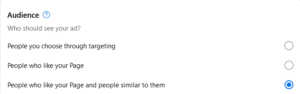
There are almost 3 billion Facebook users who use the platform daily. That’s a lot of people, but you’re obviously not going to reach all of them! I personally find Facebook’s ad creation really straightforward. The platform allows you to really hone in on who precisely you want to target. Here are some of the ways you can target your ads on Facebook:
– Location – local, or further afield, you’ll be given the option
– Custom Audience – you can specify age, interests, location, key words, education. Targetting people in the local area, people who like your page and similar to them. The possibilities are endless.
2. What do you want your ad to achieve?
It’s vitally important that you have in your mind what you want your ad to achieve. Would you like more visitors to your website, more messages, calls, page likes, leads? You can select your goal when setting up your ad. Alternatively, Facebook can select a goal for you automatically.
 3. Looking Good
Having great images on your ad will help big time. Facebook will automatically select the last few pictures that you’ve taken, but you can choose which ones you’d like to have displayed. It’s a great way of really showing off what you have to offer so choose wisely (you can have up to 5 images).
If you don’t want to go down the picture route, then choose a video. Customers are 1.81 x more likely to make a purchase after viewing a video compared to an image ad. There isn’t really a time limit of how long your video should be (you can use the full 240 minutes, but I wouldn’t advise it!). Videos in ads that are up to 30 seconds long will get you the best result.
Take a look at some of these great Facebook Ads here for inspiration.
Top Tip: Bit stuck on how to make a video? Try Canva for free. I’m in this app pretty much my whole working day. There are so many templates and videos you can choose in here, it will truly revolutionise your social media pages.
4. How long and how much?
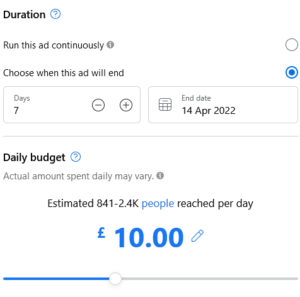
Schedule a start date and time, and when you’d like to ad to finish.
As to when is the best time to get the ad out there, it varies. It all depends if you’re B2B or B2C. If you’re targetting the former, run your ads during the week, the latter, during Friday’s and the weekend. Most people are on Facebook at midday, so start your ad then.
The Daily Budget for your Facebook ad depends on how many people you’re looking to target (and of course what your business has set aside for social media). The higher the budget, the more people you’ll reach.
Once you’ve done all of the above, hit that Promote Now button!
5. The Do’s and Don’ts
There are the do’s and don’ts when it comes to creating an ad for Facebook.
– Don’t write lots of text – this will definitely switch people off
– Don’t be deceptive – not only will this annoy customers, it could get you banned from the platform
– Do proof read before you hit that promote button – check that spelling!
– Know your audience – this is key. This will help you target the right people, and also set the ‘voice’ to the ad.
– A clear call-to-action – Facebook will ask what button you want to go onto your ad (i.e. Get Messages, Call Now, Find Out More, etc.) but also put this in your text.
 6. How did it measure up?
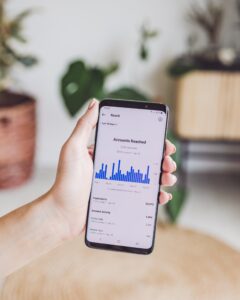
To find out how successful your ad was, focus on the following metrics under Insights:
– Actions
– Cost per Action
– Spend
– Frequency
– Revenue
Don’t focus on these “vanity” metrics:
– Click Through Rate (CTR)
– Clicks
– Cost per 1,000 impressions
– Reach
– Impressions
Whilst these figures look great, Actions and Revenue is showing you exactly what you’ve made from the ad.
There you have it, some tips on getting a succesful ad on Facebook!
To keep up to all the latest news at Function28 and best practice tips, take a look at our blogs or find us on social media.
 2. Choose the right buttons
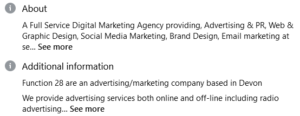 When creating your Facebook Business profile, you should be filling in the About section. This area will tell potential followers more about what you do and they’ll get a feel for the page before they Like it.
 5. Content
 7. Post at the right times (and not too many times)
 You can either promote a specific post, or promote your whole page with the view of gaining more followers, there are pletny of objectives you can choose from.