
#OverIt – is the hashtag dead?

Hashtags first came into prominence 15 years ago with businesses finding them a great way to organise content and reach more people.

However, in the last few years, spam and bot accounts have hijacked hashtags, adding them to their posts that have no relevance to the subject, meaning anyone searching for that hashtag has numerous posts displayed in front of them that don’t make any sense.

A number of marketers believe that hashtags just don’t have the power they once had. Recently, even the Head of Instagram said they are pretty much a waste of time.

This begs the question, is the hashtag dead?

Many marketers still advocate the use of hashtags, as they have proof directly from the analytics showing they result in engagement.

Here at Function28, we don’t believe the hashtag is dead, you just need to use them wisely. Let’s get into this…

How many is too many?

Instagram has a 30 hashtag limit. You can by all means use all 30, but after 10 or so, they get diluted and too far away from the actual content.  Our advice is to use 7-10, this way you stay on subject.

Do your research

Before you post, find out what hashtags are used commonly within your industry. There are fancy-pants paid for sites (such as this one) that can help you with this, but all it takes is a little bit of your time. Search within Instagram keywords for your industry, e.g. #SocialMediaMarketing, and see how many posts there are with that hashtag. The rule is, if the hashtag has over 1m posts, stay away from using that one. Your post will only get lost in that feed and bring you very little in the way of followers or engagement.

Monitor what the competition is doing. What hashtags do they use? What posts worked best for them?

 

Keep it relevant

Whatever hashtags you do use, keep them relevant to the content you’re posting. There are some rules that you should always have in mind when you’re using hashtags:-

Description – for example, for a post advertising web design, use the hashtag, #webdesign

Location – if you’re posting about an event, maybe where you’re based, put in the location

Keep it short – too many words make it harder for people to read, and the likelihood of it being a popular one in the first place is very low.


Show your support

You’ll see many companies using hashtags as a way of promoting/supporting social issues, for example #IWD2022 was widely used amongst a variety of companies back in March for International Women’s Day. If there is a way of linking a trending social issue’s hashtag for your company and you want to show support, then this is a good way of getting you in front of a wider audience.

Is the hashtag dead? Nope! Keep using them but wisely, and you’ll see your engagement grow!

Want to keep up to date with all the latest marketing and social media advice? Follow us on Facebook, Twitter, Instagram, and LinkedIn.

Read our other blogs here.



How to… Twitter for business

Twitter for Business

Twitter is a fantastic platform for businesses to stay on top of the latest trends and connect with their audience.

Twitter is a little different from other social media platforms in that it is more “live” and is a good way to source information on the latest news and trends. Twitter might not be for everyone, but its likely your competition is on here so therefore definitely worth exploring to see if it is right for your business.

I’m writing this blog right after Elon Musk bought the platform, so the advice I’m about to give you might change soon, who knows!

FACT: Did you know that 60% of a brands followers on this platform are more likely to buy from the company?

1. Build your profile

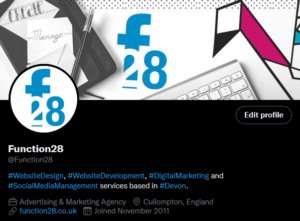
Make your profile stand out with great use of colours, logos, and a brilliant Bio.

If you leave your profile picture blank, it’ll just show an egg and will put a lot of people off from visiting your profile. Use your logo or an image that will be instantly recognisable to your customers.

Don’t forget to upload a banner too. This is where a lot of companies get creative and gives their customers more insight into their company.

Twitter will only allow 160 characters in your Bio so it’s a good idea to keep things brief and to the point. Using Hashtags in this area will help new followers and customers find you a lot more easily. If you have a website, put this on there too.

Your Twitter handle will need to be similar to your company name (i.e. @Function28) to make it easy for people to tag you. If your chosen handle is already taken, you’ll notice that some companies will put “HQ” at the end of their handle.

Switch your Twitter profile to Professional under Settings as this will help you when it comes to measuring your success.

Pinning a Tweet you’ve sent out (just like you can on Facebook) is the first bit of content anyone visiting your profile will see. You don’t have to do it, but it’s a great way of promoting a product, a sale, or a product launch.


2. Research

As with my other blogs, I have recommended that you check out the competition. Look at what kind of content they are sending out to their followers, is there anything you would do differently?


3. Entertain, engage, and have fun

Some of you might well be aware of the Aldi’s amazing Twitter feed – if not, it’s worth checking out! They are on it when it comes to all the latest trends, interacting with their audience with retweets and replies, as well as posting entertaining content among their usual corporate tweets. They are one account I would recommend taking inspiration from.

Twitter, like all SM platforms, is there for you to engage and entertain your audience, it’s not all sales patter. 80% of your content should be there to educate, inform and entertain your audience, and 20% is to talk about your product. You only have a 280-character limit, so use it wisely!

If someone Tweets your company or replies to your post, try and engage with them. Positive or negative, it all helps build your company’s reputation. Positive interactions and tags are basically free marketing, so happy days!


4. Mix up your content

Tweets with images will get so much more engagement than those without. Gifs, images, and videos are a great way to bring attention to your profile.

Jump onto any trends you think will engage your audiences. i.e. a lot of businesses jumped on the Oscar’s fiasco with entertaining videos and posts.


5. Hashtags

Hashtags are an excellent way to get your content in front of more people.

When posting, stick to one or two relevant hashtags otherwise, you might be seen as a spam account.

Before you start using them, do some research first. See what hashtags your competition is using. Think about what words you’d like associated with your company, and see how popular that hashtag is by searching for it within the app.


6. Consistency is key

92% of companies Tweet more than once a day. Over-clogging your follower’s feed with just your content will turn them off so don’t Tweet too much! Once, twice, maybe even three times a day is a good number.

The best times to send a Tweet is in the morning, lunchtime, and early evening. These are when Twitter users are mostly online, and knowing when to post will help boost your engagement.


7. Schedule

We all live busy lives and social media is pretty much always low down on the list of priorities for a lot of businesses. If you have a few minutes to devote to your social media, you can schedule your Tweets to go out at a specific time and date. This feature can be found when you hit the Tweet button (the quill) and there is a little calendar symbol next to the Tweet button.

There you have it – some tips on gettings started on Twitter for your business.

Take a look at the other blogs in this How To series on our Blog area.

To keep up to date with everything Function28, follow us on Facebook, Twitter, LinkedIn, and Instagram.


How to… Instagram for business

Instagram Blog

Instagram isn’t just for the Kardashians, it can be a great tool for your business!

If you’re looking to increase your brand awareness, build a community, showcase what your company is all about with the aim of gaining leads and more sales, get yourself over to Insta!

If you’ve never used Instagram before, or you just need some advice on what to do, this is the blog for you.

1. Set your profile up

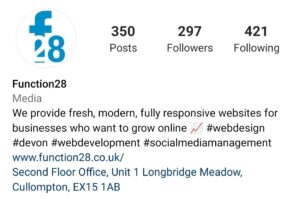
See BioWe’ll start with the real basics. Create your account, have a recognisable profile picture and in your Bio, you only have 125 characters to explain what you do so use it wisely!
You’ll have the option of turning your profile into a Professional Account under Settings. This gives you the tools to measure your success under your Profile Page.

2. Post Regularly

There is no right or a wrong number of how many times you should be posting to your Instagram account. Many marketing agencies, us included, recommend posting at least 2-3 times a week. You may find that some brands post several times a day – if you have the content and lots to say, do it!


3. Hashtags

Everyone has come across a hashtag in their time on social media and you may be wondering what that is all about! Hashtags are a great way for people to follow specific subjects that they are interested in. For example, ones Function28 follows on Instagram are, #SocialMediaManagement, #GraphicDesign. Putting hashtags in your post is a fantastic way of getting your company in front of more people, increasing engagement, and gaining followers.

There is no limit to how many hashtags you can use but try not to do too many. Anything from 5-11 hashtags will help organically boost your post. And try and keep the hashtags relevant to the post and your company, otherwise, you’ll be seen as a spam account!

Top Tip – put your hashtags are the first comment on your post. That way, it makes your post look a lot less “spammy”!


4. “See Bio”

This will be a phrase that you will see often in a company’s Instagram post and one that I have typed thousands of times! Instagram try and keep people on their platform for longer by not hyperlinking websites (I hate to sound cynical, but this is what it is at the end of the day!). The way around this is to put a relevant link, usually to your website, under your Bio.

If you need to change the link for example, to a blog post, it’s easy enough to keep changing it under your Profile, but you must remember to change it back! Because the character limit is short in this area, check out Bitly which reduces the size of the link, making it all neat and tidy.

Engage5. Engage, engage, engage

It’s so vitally important that you engage with any comments that are left on your post (negative or positive!), people can see that you as a brand care about your customers. Also, a great way of engaging with other brands is to reply or like their posts too.

Creating outbound awareness is a sure-fire way of gaining more followers and engaging more people. This does take time, it’s not something that happens overnight but it really does help build your brand.

6. Follow similar businesses and customers

This does take some time, but it is well worth it.

For example, if you are a florist, follow others and they will more than likely follow you back and engage with the content you’re putting out there.

Searching for relevant hashtags will help you find prospective followers who you can engage with and follow them. Some will follow you back, some won’t – don’t be disheartened if they don’t!

7. Create great content

ContentYou know who your target audience is, but you might be a little unsure as to what kind of content will make them engage with you.

Top Tip – there is absolutely nothing wrong with looking at what your competitors are doing and taking some inspiration from them. This is something I recommend to anyone coming to me who needs help with their social media.

The go-to content that so many businesses use are:

– A sneak peek of new products
– Inspirational quotes
– Employee selfies
– Pictures of your products
– Showing off the office dog always gets great engagement!

Give these a go and see what is the most popular.

8. Good quality images

Nothing gets my goat more than seeing bad photos! Instagram is so image reliant, it’s important you get this right. You don’t need to be Rankin to take a good photograph, here are some tips on getting a great photo:


– Use natural light – if you’re taking a photo outside, do it in the late afternoon when the lighting is best. If you’re indoors, make sure your blinds and curtains are open to let natural light into the room.
– Use the back camera – this will give you a higher-resolution photo
– Download photo editing apps – to give your photos the professional edge, download an app to help edit your pictures. For example, check out the free app, BeFunky.

There you have it – some great tips on getting the most out of Instagram for your business! Take a look at our blog from last week on How to… Facebook for business.

If you need help or advice when it comes to your social media pages, please contact Gemma on gemma@function28.co.uk.

Give us a follow and keep up to date with the latest goings on at Function28 on Facebook, Twitter, Instagram, and LinkedIn.


How to… Facebook for Business

Are you not sure what to write on your business Facebook page? It’s significantly different to posting on your personal profile and can sometimes leave people stumped!

Here at Function28, we want every company, big or small, to succeed in promoting their company on various social media platforms. We’ve put together a handy guide on what you should be doing on Facebook for your business.

1. Profile Picture
Let’s start with the very basics. On many occasions in my travels, have I seen companies NOT using their logo as their profile picture. If you would like customers and new followers to find you easily, use your logo or relavent imagery. When it comes to your Cover Photo, make it engaging. For example, if you have some professional photos of what your company can create, showcase them here.

2. Choose the right buttons
When you create your Facebook business page, you’ll be asked what Call-to-Action button you’d like to be featured at the top of your page. Think to yourself, what action would you like your customers to take? Would you like them to message you, call you, or visit your website?

3. About You
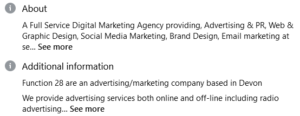
AboutWhen creating your Facebook Business profile, you should be filling in the About section. This area will tell potential followers more about what you do and they’ll get a feel for the page before they Like it.

4. Find your voice
When speaking to an acquaintance a few months ago, she was looking for social media help for her own business – I gave her one rule, “just be yourself!”. As a company, you will have a ‘voice’ that you’d like to get across to your followers. A lot of companies take a relaxed tone to their social media posts, it really of course, depends on your type of business.

Have an enthusiastic tone to your posts – no one wants to read something where the author doesn’t really care!

5. Content
Facebook is a great way to engage customers and followers using great content. You’re building your brand and talking to your customers directly, finding out what makes them tick and why they love your brand.

Your content should be 80% entertaining, engaging, and informative. 20% is reserved to talking about your product. People don’t want to have products shoved in their faces 24/7 on Facebook. You don’t want to be losing followers!

Posting your text with images is a must on Facebook. Your followers are more likely to retain the information in your post if there is an image to go alongside it.

Mix up your content with amusing gifs, quizzes, and competitions. Ask your customers questions. Followers love to get involved in conversations, and like it even more when you reply directly to them.

Make sure you know about all the holidays and event days. You can jump onto the relevent topics on these dates and engage more people – you can find a great calendar here.

6. Research
All businesses look at their competition to see what they are up to. When it comes to social media, what are their weaknesses/strong points. What would you do differently? What would you ‘borrow’?

Insights7. Post at the right times (and not too many times)
This does depend on your type of business but the general concesus is to post on early Friday morning, and Tuesday, between 6-9am. As time goes on and you post more, Facebook Insights is a really handy tool to know when most of your followers are online.  You’ll be able to find out when it’s a good time to post in order to get the best engagement.

When it comes to frequency, my rule of thumb is 3 days a week. Too little, less engagement, too much… well, less engagement!

8. C2A
All your posts should have a Call-to-Action. What would you like your followers to do? Go to your website, post in the comments, send you a message? Don’t leave them hanging!


9. Promote Your Page
When you first create your page, a great way of growing your page organically is to invite your friends and family to Like and Share the page. But if you’d like to reach out to a bigger audience, a paid ad is the route to go down.

AdYou can either promote a specific post, or promote your whole page with the view of gaining more followers, there are pletny of objectives you can choose from.

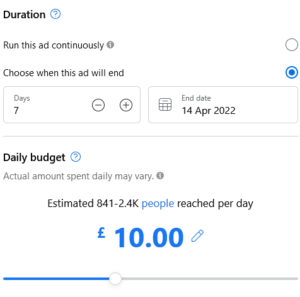
You can set your budget, timeframe, and audience type in the Facebook Ads section. It doesn’t take long to do at all.

10. Share News and Hot Topics
Brands on all platforms went to town over the hoo-ha at the Oscars this year! Jumping on to the latest news and hot topics will get you in front of more people and could gain you more followers. Ask what your followers think about the topic you’re posting about to get that engagement.


There you have it! 10 tips on how to use Facebook for your business.If you’d like a more in-depth conversation about social media, and how it can work for your business, please phone Gemma on 01884 308091, or drop her an email on gemma@function28.co.uk.

View our others blogs here.